Photo tools
AI Image Upscaler
Make small, blurry or compressed photos 2x or 4x bigger and sharp again, with faces restored, in a few seconds.
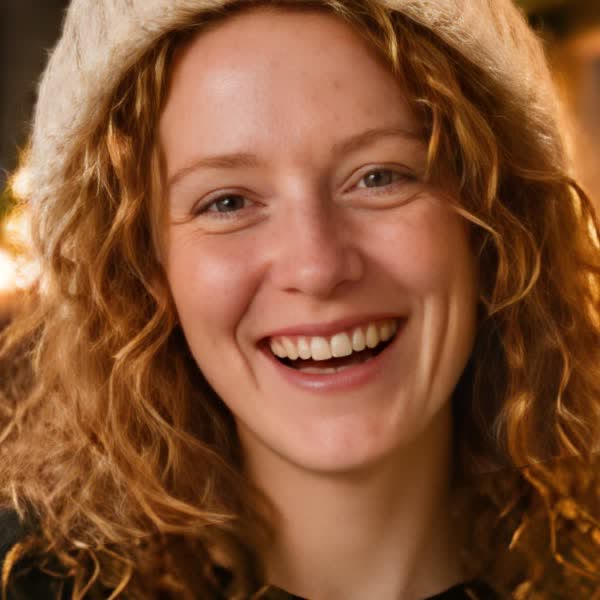

Example, zoomed in. Drag the handle to compare.
Upscale yours
1. Upload a photo
2. Choose the size
- Best on small, soft or compressed photos
- Works on portraits, products and screenshots
- Turn off face restore for drawings and art
Example
A 320 px photo, upscaled 4x
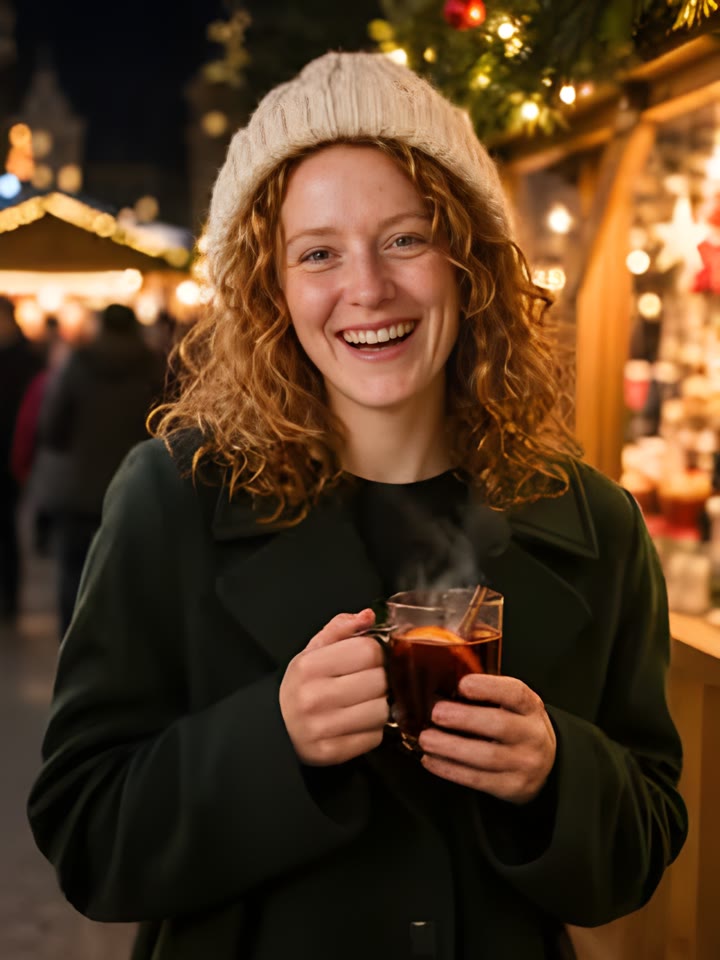
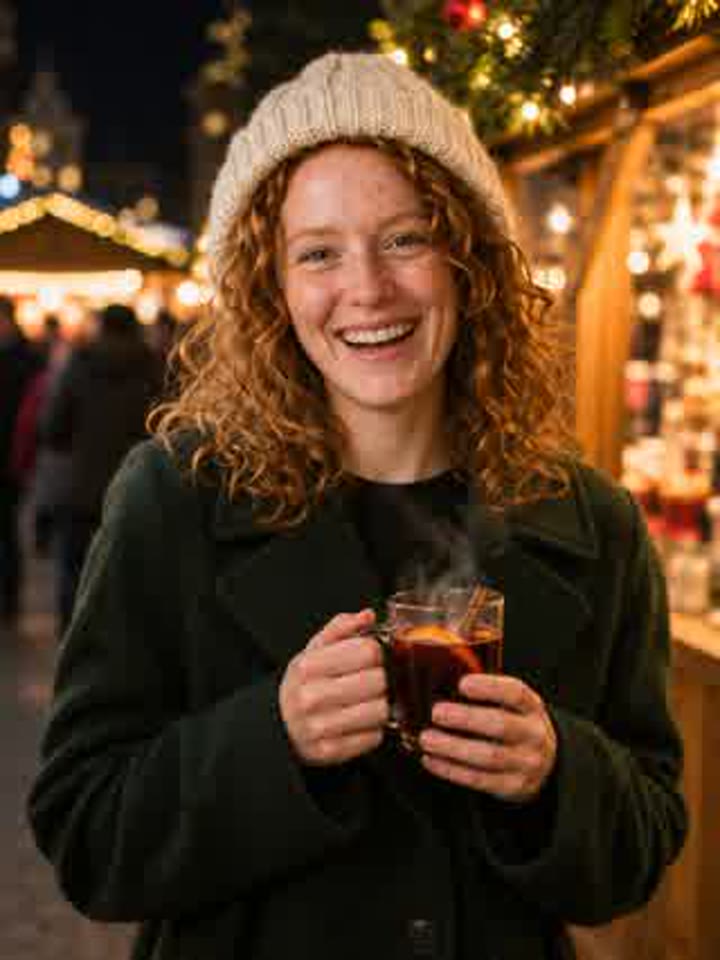
The original is a 320 by 426 pixel JPEG with heavy compression: blocky skin, soft hair and smeared eyes. After 4x it is 1280 by 1704 pixels with clean skin, separate curls and sharp eyes and teeth.
Drag the handle to compare. The zoomed-in example at the top shows the face at full size.
About this effect
Make any photo bigger and sharper
Old phone photos, thumbnails saved from the web, screenshots and pictures sent through chat apps all lose detail. This AI image upscaler brings it back: upload the photo, choose 2x or 4x, and download a larger, sharper version a few seconds later.
It is built for real photos: faces come back with clear eyes and natural skin, edges stay crisp, and compression blocks disappear. Use it to print a small photo, sharpen a profile picture, prepare product shots or rescue an old family photo.
FAQ
Frequently asked questions
What does an AI image upscaler do?
It makes a photo bigger without making it blurry. Instead of stretching the pixels, the AI redraws the detail: sharper edges, cleaner skin and hair, and no JPEG blocks. A 500 px photo becomes 1000 px at 2x or 2000 px at 4x.
Should I pick 2x or 4x?
Use 4x for small or old photos, thumbnails and screenshots. Use 2x when the photo is already a decent size and you only need a bit more. Very large photos only offer 2x, so the result stays under about 6000 px.
What does Restore faces do?
It rebuilds blurry faces with clear eyes, skin and teeth. Keep it on for portraits and group photos. Turn it off for drawings, anime and art, where it can make faces look too photographic.
Is there a watermark?
No. You download the full-size upscaled photo with no watermark.
Which files work?
JPG, PNG and WebP photos under 50 MB. The best results come from photos under 3000 px on the long side.
How much does it cost?
Each upscale costs 1 credit. Signing up is free, credits come in one-time packs with no subscription, and a failed upscale is refunded automatically.
Upscaling a clip instead? Use the AI video upscaler. Need a new portrait? Try the AI headshot generator.