Primary preview
Trending now: GTA 6 Hey Kid
Viral GTA 6 AI trends
GTA 6 AI Video Generator
Create yours
Generate with this effect
Trending
Viral AI GTA 6 video trends
The GTA 6 clips everyone is sharing, ready to make with your own face. New trends are added as they go viral.
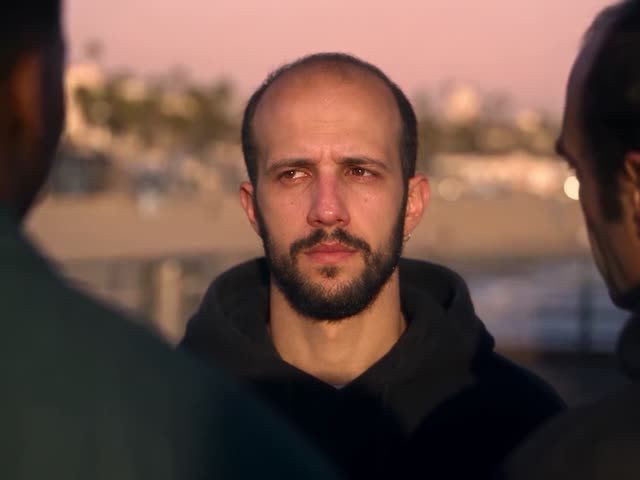
About this effect
Make viral AI GTA 6 videos of yourself
While everyone waits for GTA 6, AI GTA 6 videos have taken over TikTok, Reels and Shorts: cinematic fan-made clips with Vice City sunsets, palm-lined beach roads, fast cars and characters that look straight out of Los Santos. This GTA 6 AI video generator lets you star in them.
Pick a viral GTA 6 clip, upload one photo and the AI replaces the main character with you. Your face, hair, skin tone and outfit come from your photo, and accessories such as glasses only appear if they are in it. The scene, the other characters, every camera move and the original sound stay exactly as in the trend.
You get an MP4 with sound, ready to post. Prefer a still? Turn yourself into game art with the GTA 6 cover art generator.
How it works
How to make an AI GTA 6 video
01
Pick a GTA 6 trend
Choose a viral AI GTA 6 clip, like the Hey Kid pier surprise.
02
Upload one photo
Add a clear, front-facing photo of yourself.
03
Post your video
Get your AI GTA 6 video with the original sound, ready for TikTok, Reels and Shorts.
FAQ
Frequently asked questions
What is the GTA 6 AI video generator?
A tool that puts you into viral AI GTA 6 clips. You pick a trend, upload one photo, and the AI replaces the main character with you while the scene, the other characters, the camera and the sound stay as in the original.
Which GTA 6 AI trends can I make?
Right now: GTA 6 Hey Kid, the sunset pier surprise where the kid gets a sports car and GTA 6. New GTA 6 trend clips are added here as they go viral.
How do I make an AI GTA 6 video of myself?
Pick a trend, upload one clear, front-facing photo and press Generate. Your face, hair, skin tone and outfit come from the photo, so the character looks like you.
What photo works best?
One person, front-facing and well lit, with the face and shoulders clearly visible. These clips have close-ups, so a sharp face matters more than a full-body shot.
How long does it take?
A 30-second clip usually takes several minutes. You can leave the page while it renders; the finished video is saved to your account.
Can I post it on TikTok or Instagram?
Yes. You download an MP4 with the original sound and no watermark from us, ready for TikTok, Instagram Reels and YouTube Shorts.
Is this real GTA 6 footage?
No. These are fan-made AI trend clips. FIKKU is not affiliated with, endorsed by or sponsored by Rockstar Games or Take-Two Interactive. Grand Theft Auto and GTA are their trademarks.
How much does it cost?
Signing up is free, with no credit card needed. GTA 6 Hey Kid costs 100 credits, credits come in one-time packs with no subscription, and a failed render is refunded automatically.
Can I use a friend’s photo?
Only with their permission. Use your own photo, or a photo of a friend who is happy to be in the video. Do not upload photos of celebrities.
More GTA style: the GTA 6 cover art generator. Put your face into any other clip with the AI face swap.
FIKKU is not affiliated with, endorsed by or sponsored by Rockstar Games or Take-Two Interactive. Grand Theft Auto and GTA are their trademarks.