How to Make Your Pet Dance with AI (Dogs, Cats, and Chaos)
Turn one photo of your dog or cat into a dance video. What kind of pet photo actually works, which animals are hardest for the model, and how to avoid the uncanny results.
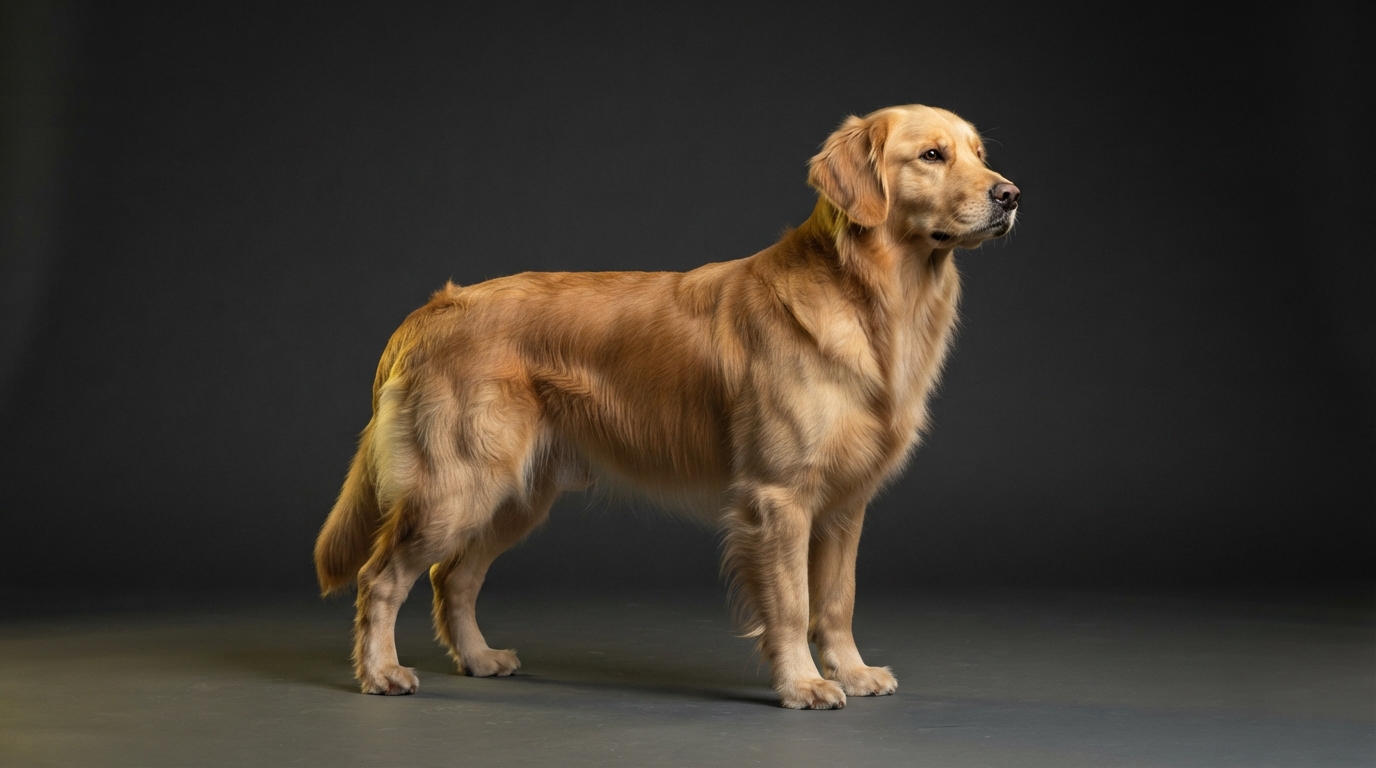
Anyone who has tried to film a pet doing something specific knows how it goes. You get the phone out, the dog immediately walks toward the phone, and you end up with nine seconds of a nostril. Cats are worse. Cats leave.
This is the one case where generating from a still photo is not a compromise — it is genuinely easier than the real thing. You need one good photo of your pet, which you almost certainly already have.
Start with a photo the model can read
The rules are close to the ones for people, with a few animal-specific traps. The model needs to work out where the body is and which way it faces. Pets make that harder because their proportions vary enormously and a lot of them are, structurally speaking, a fur-shaped blob.
- Standing or sitting upright beats lying down. A curled-up sleeping cat has almost no readable pose.
- Side-on or three-quarter angles work well for dogs — better than straight-on, which flattens the body.
- All four legs visible if you can manage it. Legs cropped out means legs invented.
- Good separation from the background. A black dog on a dark sofa is a genuinely hard problem.
- Head clearly visible and not turned fully away.
- One animal per photo. Two dogs wrestling will produce something with an unclear number of dogs.
Which pets work best
Medium and large dogs are the easiest by a wide margin. They have clear limb structure, they photograph well standing, and their proportions are close enough to the body plans these models have seen most often.
Cats are moderately harder. They are lower to the ground, their limbs disappear into their body outline when sitting, and long fur blurs the edges the model relies on.
Very small dogs, rabbits, and anything fluffy enough to be mostly silhouette are the hardest. Not impossible — just expect to try two or three photos rather than one.
If you cannot tell where the legs are in the photo, neither can the model.
Picking a style that suits an animal
Styles with big, readable, upright movement tend to look funnier and cleaner on pets than fast, intricate footwork. The comedy comes from the contrast — a serious dog performing a confident routine is a better joke than a dog performing something too fast to follow.
It also helps technically. Slower, larger motion gives the model more frames to keep your pet looking like your pet.
The uncanny problem, and how to dodge it
The failure mode everyone runs into is the face drifting. Over a few seconds, a specific dog gradually becomes a generic dog. It is the single biggest reason a pet clip feels off, and viewers notice it instantly because they know what their own animal looks like.
Three things reduce it: a sharper input photo, a style with less aggressive motion, and shorter clips. If your pet drifts, the fix is almost always a better photo rather than a different style.
Why pet content travels
Pet videos get shared into group chats, which is a distribution channel most content never touches. A dancing dog gets sent to family. A dancing stranger does not. If you are trying to build reach from zero, an animal is a genuine advantage.
Keep the caption simple and let the clip do the work — pet content rarely needs explaining.
Find the photo where your pet is standing, alert, and clearly separated from the background. That one photo is the whole input. The dedicated dog and baby dance tools are the quickest place to start if you want a preset that already suits the subject.