AI Headshot Generator: How to Get One From a Selfie
Turn an ordinary selfie into a professional headshot in about a minute. Which selfies work, the exact prompts to use, and where AI headshots still fall short.
A professional headshot session costs somewhere between $150 and $400, takes a morning, and produces photos you will need to redo the next time you change your hair. That is a lot of friction for one square image that mostly lives on LinkedIn.
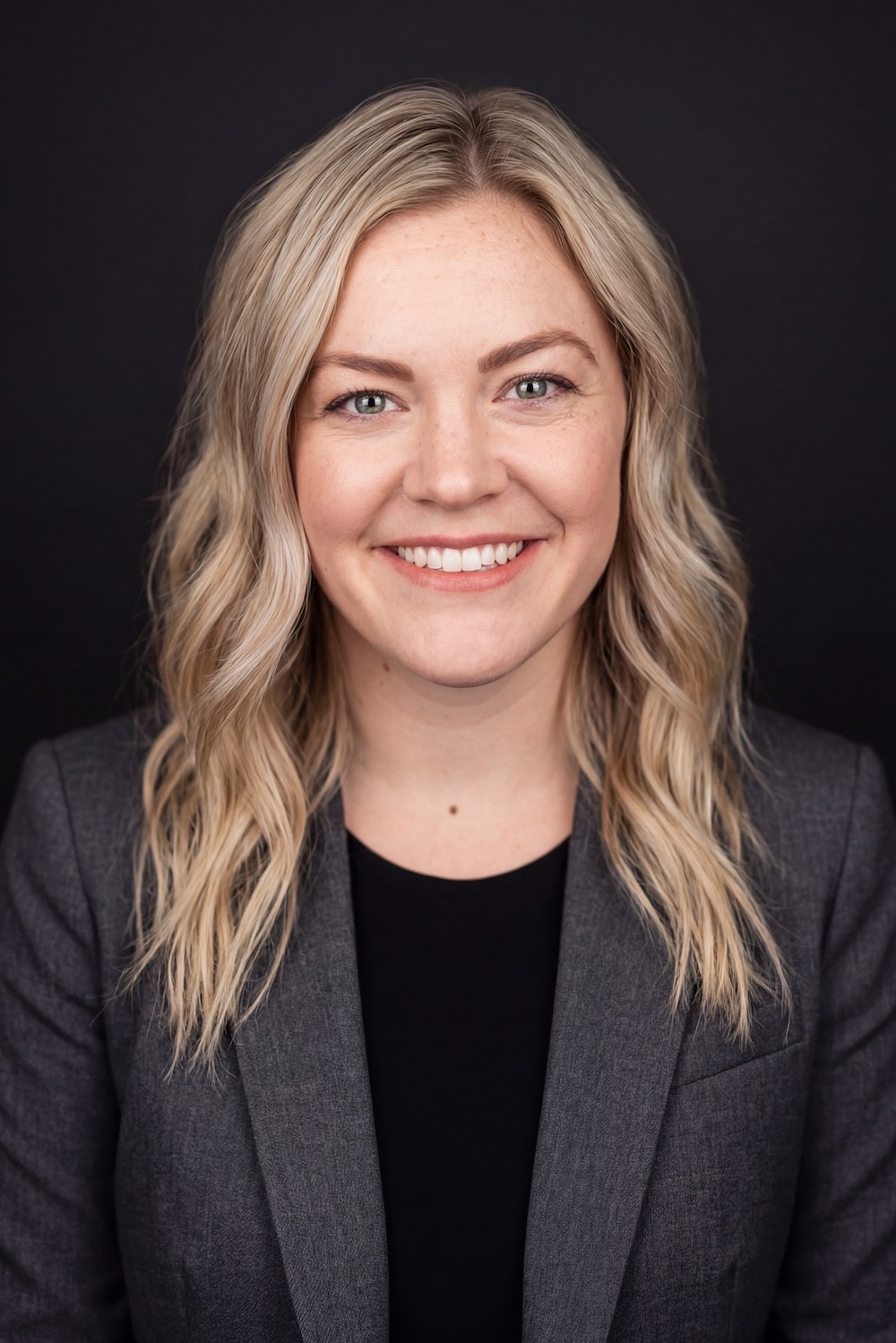
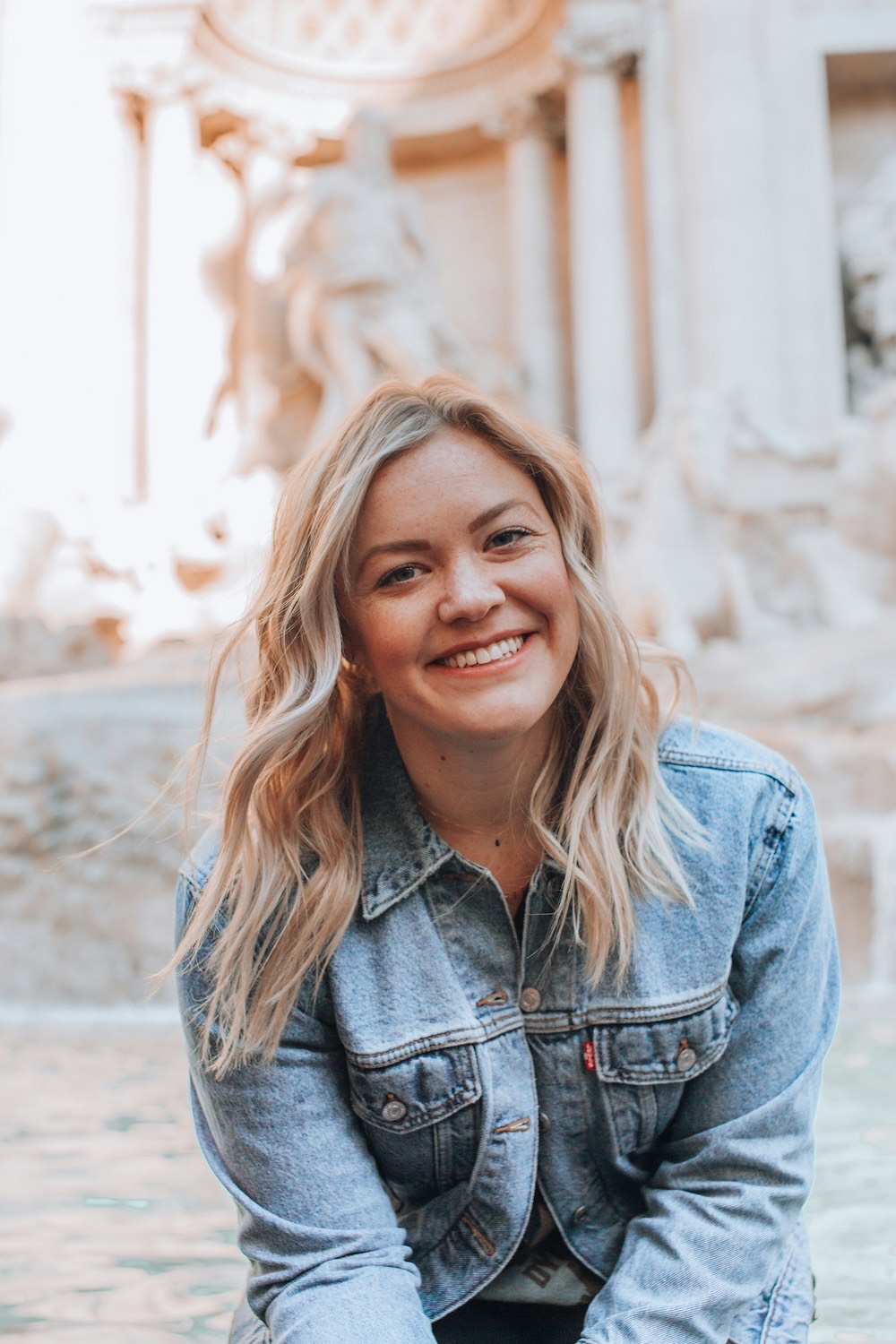
An AI headshot generator does the same job from a photo you already have. Here is what the transformation actually looks like, starting from an ordinary travel selfie:
 SelfieHeadshot
Notice what stayed put: the freckles, the mole, the hair texture, the actual shape of the smile. That is the bar a headshot has to clear. If it flatters you into someone else, it fails the moment you walk into the meeting.
What makes a selfie work
The model is rebuilding lighting and wardrobe around your face, so it needs a clear read on the face itself. Almost every bad result traces back to the source photo.
- Face fills a decent portion of the frame. A full-body shot from across the street has too few pixels on the part that matters.
- Even, soft light. Overcast daylight and window light are ideal. Harsh midday sun creates shadows the model will faithfully reproduce.
- Eyes visible and open. Sunglasses are an automatic fail; regular glasses are usually fine but can produce odd reflections.
- Neutral or slight expression. A natural smile transfers well. Mid-laugh with your eyes shut does not.
- Nothing covering the jaw or hairline. Hats, hoods, and hands on the chin all remove structure the model needs.
- One person. Crop tightly before uploading if the original is a group shot.
The prompts
Upload your selfie as the reference image, then describe the headshot you want. Specificity beats adjectives — name the background, the wardrobe, and the lighting rather than asking for something "professional".
Professional corporate headshot of the person in the reference image. Charcoal grey blazer over a black top, plain dark studio background, soft key light from the left with gentle fill, sharp focus on the eyes, natural skin texture, shot at 85mm, shallow depth of field. Keep the face, hair, and skin exactly as in the reference.Relaxed professional headshot of the person in the reference image. Plain knit sweater, soft neutral background, warm natural window light, candid but composed expression, natural skin texture, 50mm lens. Preserve the exact facial features, freckles, and hair from the reference.Editorial outdoor headshot of the person in the reference image. Softly blurred green foliage background, overcast diffused daylight, subtle rim light, smart casual shirt, natural skin texture, 85mm portrait lens. Do not alter the face structure from the reference.That last sentence matters more than the rest. Without an explicit instruction to preserve the face, models drift toward a generic attractive average — which is exactly the failure mode that makes AI headshots obvious.
Getting the aspect ratio right
LinkedIn, Slack, and most company directories crop to a circle or a square. Generate at 1:1 so nothing important sits in a corner that gets cut. For a website team page, 4:5 gives you more room to breathe.
Where AI headshots still lose to a photographer
Being straight about this is the point — an honest guide is more useful than a sales pitch.
- Glasses. Reflections and frame geometry are still inconsistent. Expect to regenerate a few times.
- Complex hair. Very curly, braided, or elaborately styled hair sometimes reconstructs slightly wrong in ways you will notice and strangers will not.
- Hands and props. If you want a considered arms-crossed pose, hire a human.
- Brand consistency. If your whole team needs matching headshots on the same backdrop, a real session is still more reliable.
- Jewellery and fine detail. Small earrings and necklaces get reinterpreted rather than reproduced.
Use AI when you need one good photo of yourself this afternoon. Hire a photographer when the photo is doing serious brand work.
A quick workflow
- Pick three candidate selfies with different lighting rather than one favourite.
- Run the same prompt on all three — the source photo matters more than the wording.
- Generate at 1:1 for profile use.
- Compare at thumbnail size, not full screen. That is how people will actually see it.
- Check the eyes and teeth at full zoom before committing. Those are where artifacts hide.
The whole loop takes a few minutes and costs a couple of credits. You can try it in the AI image generator with a photo you already have on your phone.