GPT Image 2 Prompts: 12 Examples for Posters, Products and Photo Edits
Twelve GPT Image 2 prompts you can copy, with the real results from four of them. How to get exact text in an image, clean product shots, and photo edits that change one thing and leave the rest alone.
GPT Image 2 is OpenAI’s image model, and it is strong at two things image models have long struggled with: putting the exact words you asked for into a picture, and changing one thing in a photo without redrawing the rest. Both change how you should write a prompt.
Below are 12 prompts you can copy, grouped by job. Four of them come with the image we got back. Each of those was generated at the settings FIKKU uses, on the first attempt, with no retouching.
The pattern: say what, say where, say exactly
- Put the exact words in quotes. Write the text the way it should appear, capitals included.
- Say where each piece goes. "Headline at the top", "price on the right", "label on the front of the bottle".
- End with "No other text". It stops the model from decorating the image with extra words.
- Name the look. Material, light, and background do more than adjectives like "stunning".
- For edits, list what stays first. Then name the change, and finish with "Change nothing else".
Prompts for text: posters, thumbnails, menus
This is where GPT Image 2 earns its place. Short headlines and a line of details come out as written, so you can make a poster or a thumbnail without opening a design tool.
A bold event poster for a street dance battle. Large headline text at the top that reads "MOVE NIGHT". Smaller text at the bottom that reads "SATURDAY 9 PM · WAREHOUSE 12". A dancer frozen mid-spin as a black silhouette in the center. Yellow and black color scheme, grainy risograph print texture. No other text.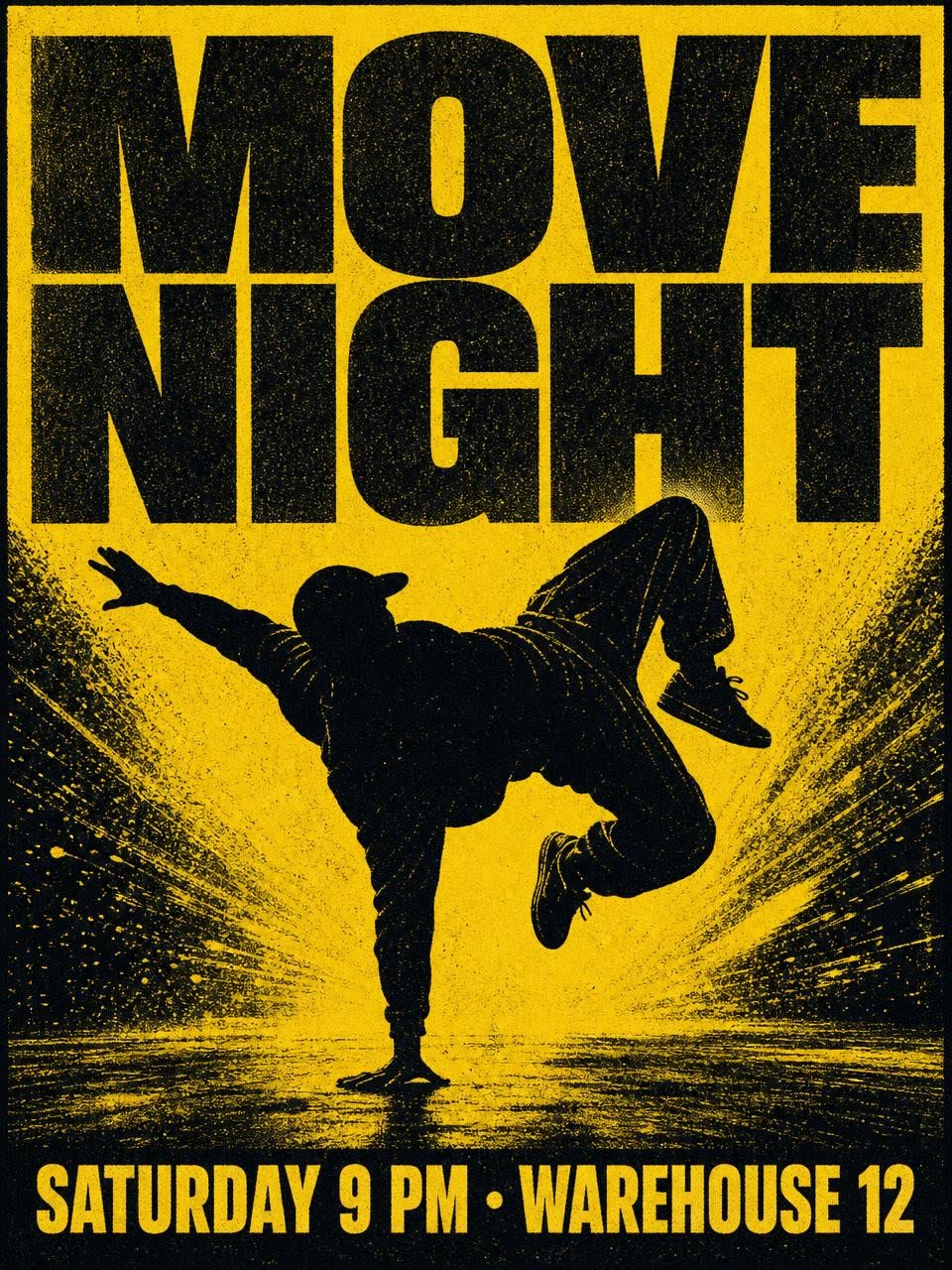
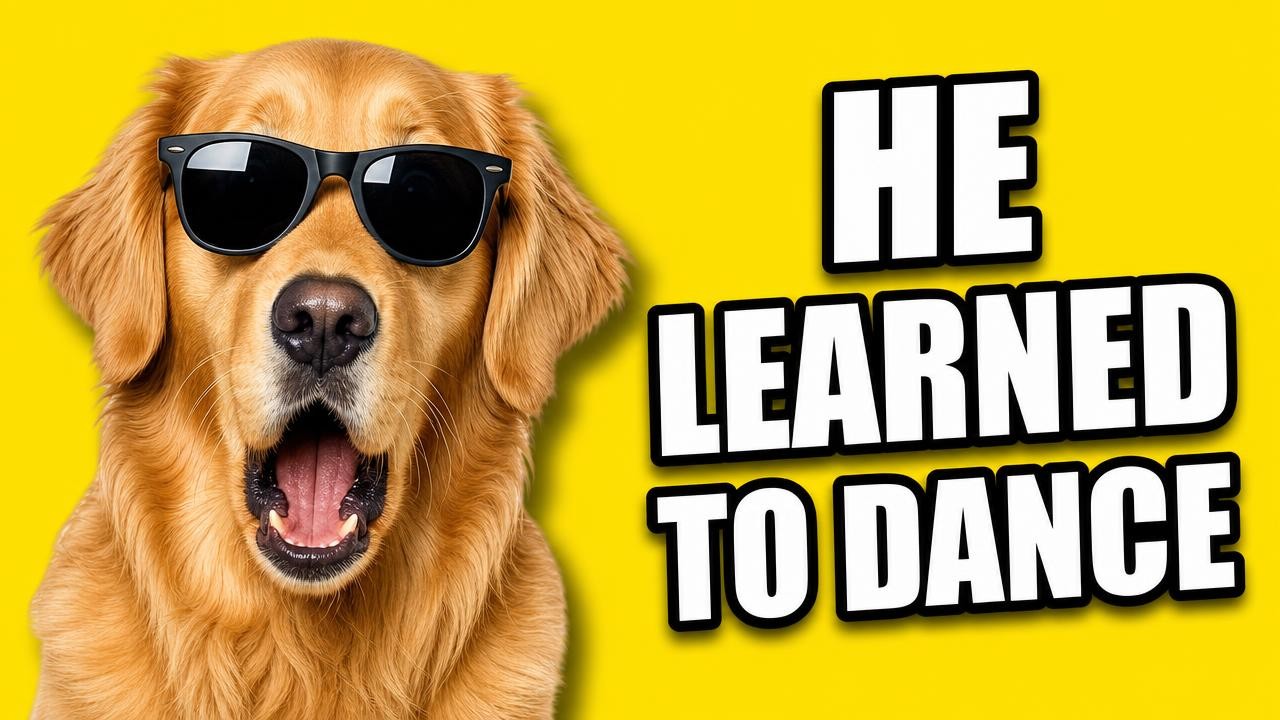
YouTube thumbnail. On the left, a surprised golden retriever wearing black sunglasses, looking at the camera. On the right, large bold white text with a thick black outline, on three lines, that reads "HE LEARNED TO DANCE". Bright yellow background, high contrast, slight drop shadow behind the dog. No other text or logos.A chalkboard menu for a coffee shop. The title at the top reads "TODAY". Four lines below it, each with a drink on the left and a price on the right: "Flat white 4.20", "Cold brew 4.80", "Oat latte 5.10", "Matcha 5.40". Hand-lettered white chalk, a small coffee cup doodle in the corner. No other text.Prompts for product photos
Describe a product shot the way a photographer would set it up: the object, what it stands on, where the light comes from, and what is behind it. If the product has a label, treat the label like poster text and quote it.
Studio product photo of an amber glass serum bottle with a black dropper cap. The white label reads "GLOW No. 4" in a thin serif font, with a smaller line under it that reads "vitamin c serum · 30 ml". The bottle stands on a wet grey stone slab with water droplets around it. Soft morning window light from the left, gentle shadow to the right, shallow depth of field, plain warm beige background.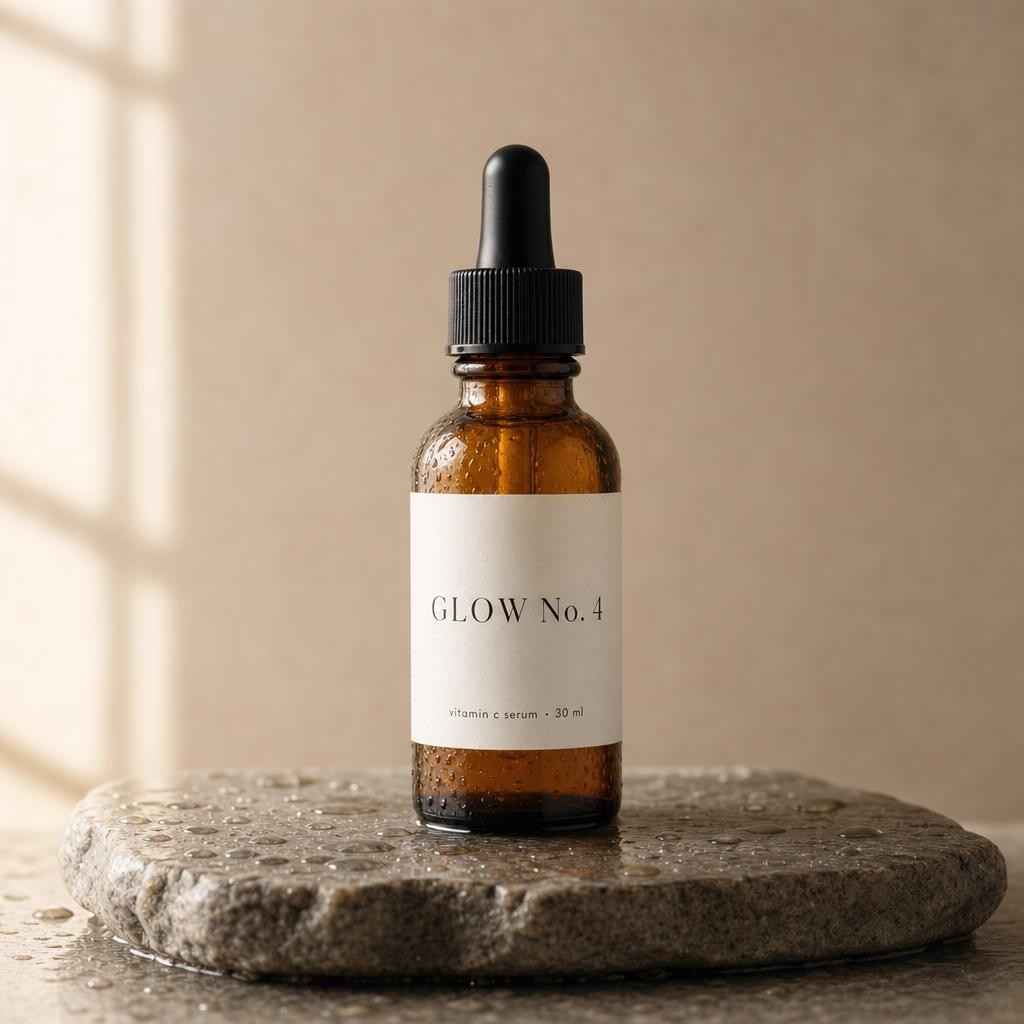
Product photo of a yellow running shoe floating at a slight angle above a dark reflective surface. Dramatic rim light from behind, soft fill light from the front, a faint reflection underneath, black background. No text.A kraft paper coffee bag standing on a wooden counter. The front label reads "MORNING PERSON" in bold black capitals, with "medium roast · 250 g" under it. A few coffee beans scattered in front, warm side light, blurred café background. No other text.Prompts for photo edits
For an edit, upload the photo and write the prompt in this order: what stays, what changes, and a closing line that nothing else should move. The order matters, because the model treats everything you did not mention as fair game.
Keep the room layout, windows, floor, rug and camera angle exactly the same. Paint the walls a deep olive green and replace the white sofa with a tan leather sofa of the same size in the same position. Change nothing else.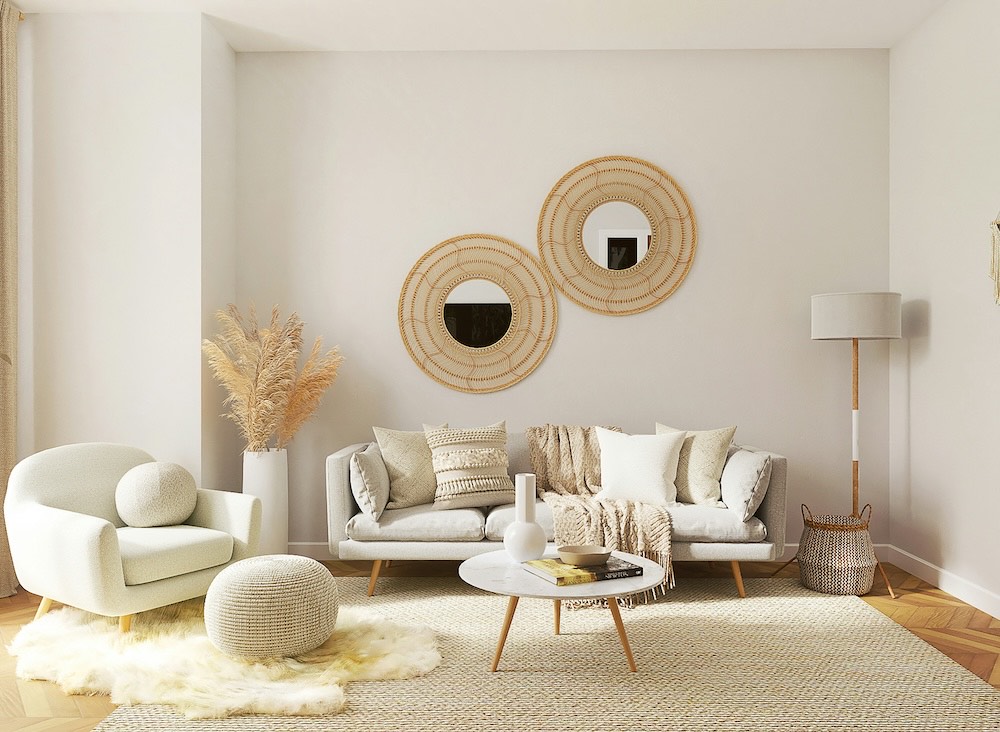 Original
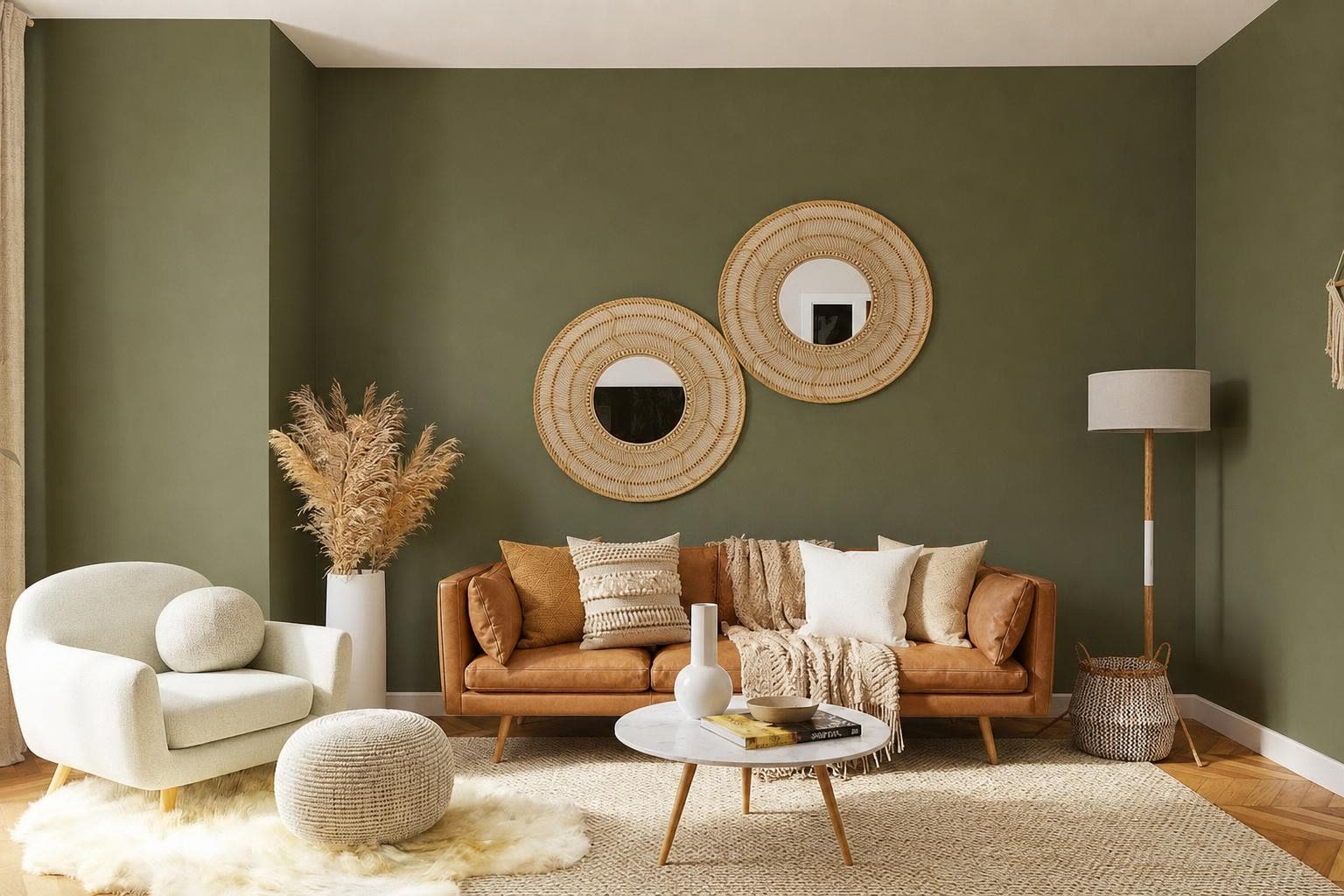 Edited
Keep the person exactly as they are: same face, hair, pose, clothes and framing. Replace the background with a quiet beach at golden hour, and match the light on the person to the new scene. Change nothing else.Change the jacket to red leather. Keep the face, hair, pose, background and every other piece of clothing exactly the same.Place the product from image 1 on the kitchen counter in image 2, next to the window. Keep the product’s shape, colors and label exactly as in image 1. Match the shadows and reflections to the light in image 2.Prompt 9 is the short version of a bigger topic. For clothes specifically, see the AI outfit changer guide and the virtual try-on guide.
Prompts for social posts
A sheet of nine die-cut stickers of a corgi in different moods: happy, sleepy, angry, confused, proud, hungry, shy, excited, bored. Thick white border around each sticker, flat pastel colors, light grey background, evenly spaced in a 3 by 3 grid. No text.A recipe card for iced coffee in a clean flat illustration style. The title at the top reads "ICED COFFEE IN 3 STEPS". Three numbered panels in a row: "1 Brew strong", "2 Add ice", "3 Pour milk", each with a simple drawing. Cream background, brown and orange accents. No other text.What still goes wrong
- Long text. A headline and a line or two of details is a safe amount. The more words you ask for, the more chances of a slip, so read every word before you post.
- Vague edits. "Make it nicer" invites a full redraw. Name the one thing that should change.
- Too many changes at once. Two changes in one prompt worked in the room example. For a long list, edit in passes and check each one.
- Faces. An edit near a person can still shift small details. Say plainly that the face stays the same, then compare the result with the original.
Only edit photos you have the right to use. Your own face, your own products, and your own rooms are fine. Someone else’s photo is not.
How to use GPT Image 2 on FIKKU
- Open the AI image generator and switch the model to GPT Image 2.
- Paste a prompt. For an edit, add your photo first.
- Pick a shape: square, vertical, wide, portrait, or landscape.
- Generate. Each image costs 3 credits.
Start with prompt 1 or 2 and swap in your own words. Once the text lands the way you want, the rest of the pattern follows. And if a still image is not enough, Seedance 2 can turn it into a video.