Drake Burning Bridges AI Video: How to Make the Where She At Trend
How to put yourself in the party from Drake’s Burning Bridges video with AI: the trend, the “where she at?” peekaboo move, which photos work, adding friends to the crowd, and what it costs.
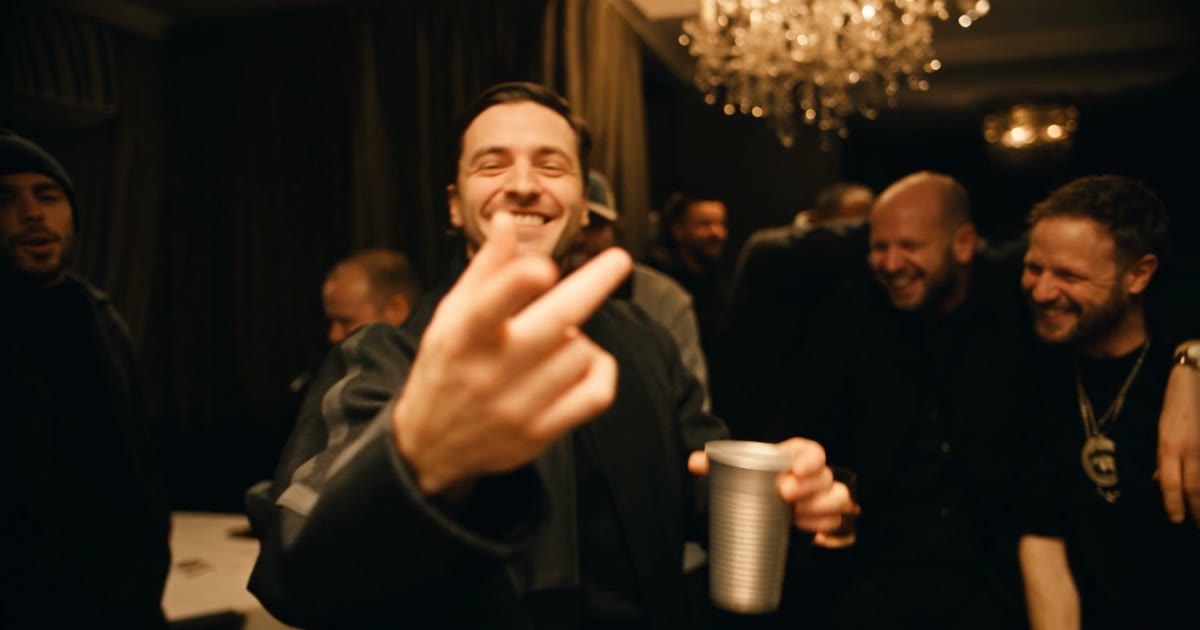
Tony Soprano has done it. So have Brock Purdy, WWE wrestlers, Walter White and half the pets on TikTok. The Burning Bridges trend drops a new face into the party from Drake’s “Burning Bridges” video, silver cup and all, and it is one of the biggest AI video trends of the fall. You do not need a film crew or a chandelier. You need one photo.
This guide covers what the trend is, the song and the “where she at?” move behind it, and how to make your own version, including how to put up to four friends in the crowd.
What is the Drake Burning Bridges AI trend?
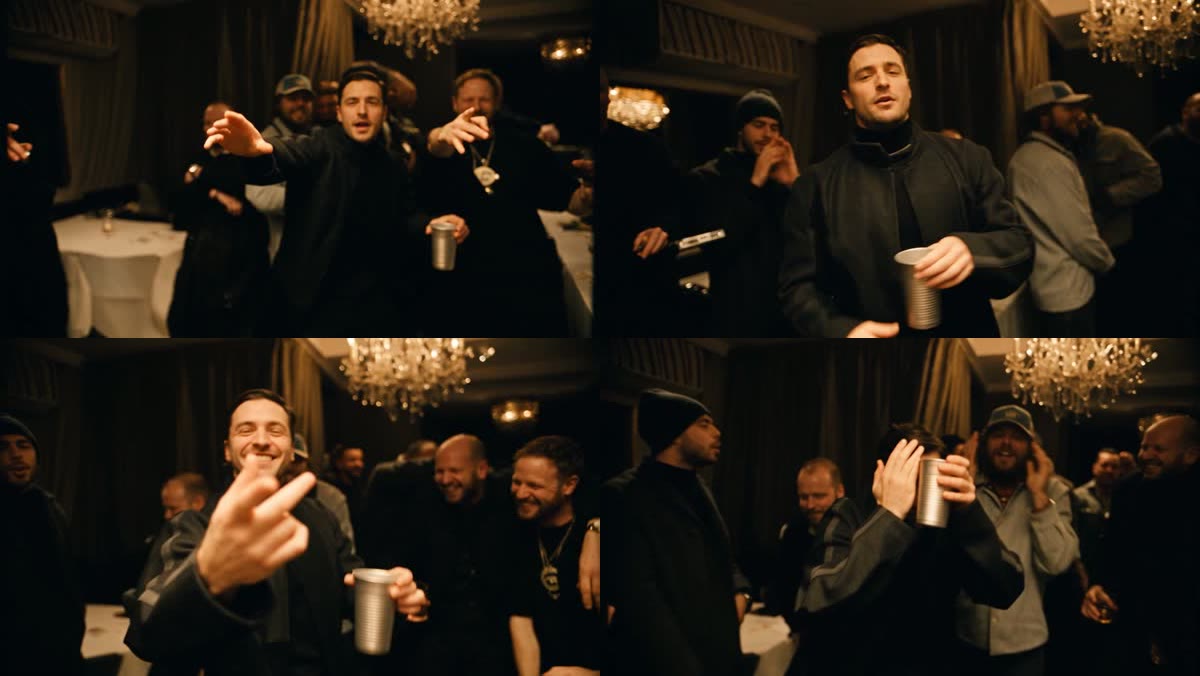
“Burning Bridges” is a Drake song released on May 15, 2026, on his album Iceman. It peaked at number 13 on the Billboard Hot 100. Its music video is one handheld shot of a lavish party under crystal chandeliers: Drake stands at the front with a silver cup, rapping straight into the camera, while a room full of friends dances, points and laughs behind him.
The trend is simple: keep the party, swap the man at the front. People have put themselves, their friends, their dogs and every famous character they can think of in Drake’s spot, and the more out of place the new face is, the better it does. If that sounds familiar, it is the same idea that made the Hotel Lobby trend take off: a famous scene, a new cast.
“Where she at?” The line and the peekaboo move
The chorus asks “where she at?”, which is why you will also see the trend called the Where She At dance. The song is widely read as a shot at A$AP Rocky, and that line became a meme of its own. Drake even did the matching “peekaboo” celebration on the big screen at the Portugal vs. Croatia World Cup match in Toronto on July 2, 2026, right after a Cristiano Ronaldo goal.
How to make the Burning Bridges AI video, step by step
- Open the Drake Where She At Dance AI generator and sign in. Signing up is free, with no credit card needed.
- Upload your photo. You become the man at the front with the silver cup, rapping to the camera.
- Add friends if you like. Up to four, one photo each, and each one replaces a man in the crowd behind you, in the order you add them. Leave the slots empty and the original crowd stays.
- Press Generate Video. It costs 100 credits, with or without friends, and the price is shown on the button before you start.
- Wait about 10 minutes while it renders. You can leave the page; the video waits for you in My Projects.
- Download it and post it. It is a landscape video of about 29 seconds with the song.
What you keep and what changes
The room, the chandeliers, the handheld camera, the lip sync, every point and grin, and the silver cup all stay exactly as in the original clip. Faces, hair, skin tone and clothes come from your photos. Nothing from the original cast carries over: if your photo has no durag, chain or sunglasses, you will not wear one in the video. If a photo only shows your face and shoulders, the rest of the outfit is filled in to match.
Photos that work
- One person per photo, facing the camera, with the whole face clearly visible. The front spot gets a lot of close-ups, so a sharp, evenly lit face matters most.
- Waist up or full body. The camera mostly sees the man at the front from the waist up, so a half-body photo is enough.
- Dress for the room. The party is dim and warm, so a dark jacket or anything with a little shine fits right in. Your outfit comes from the photo.
- Friends: one photo each. Do not upload a group photo. Photos of similar quality keep the crowd looking like one room.
Ideas that get shared
- The group chat edition. Put yourself at the front and your four closest friends in the crowd. Everyone will repost it.
- The birthday post. The birthday person takes the front spot, the friends fill the room.
- The unlikely star. Your dad, your boss or your calmest friend rapping at the camera with a silver cup is the version people send around.
- Caption it with the line. “where she at?” plus #burningbridges, #drake and #wheresheat puts it next to the rest of the trend.
How much does it cost?
Signing up for FIKKU is free, with no credit card needed. A Burning Bridges video costs 100 credits, the same whether you send one photo or five. It costs more than most effects because the whole 29-second party, crowd included, is rebuilt around you. Credits come in one-time packs with no subscription, they never expire, and if a video fails to render, the credits go straight back to your account.
Ask before you upload
The trend is full of famous faces, but on FIKKU only use photos of yourself and of people who are happy to be in the video. Do not upload photos of celebrities, strangers or anyone who has not agreed to it, and ask each friend before you put them in the crowd.
More trends like this
For another famous scene with a new cast, see how to create the Hotel Lobby AI dance effect. For a two-person video, try the Smalltown Boy AI dance effect, or browse every AI dance effect.