How to Create the Smalltown Boy AI Dance Effect
Step by step: turn two photos into the Smalltown Boy AI dance video, with two screaming close-ups and a side-by-side dance set to Bronski Beat. Which photo goes where, what works, and what it costs.
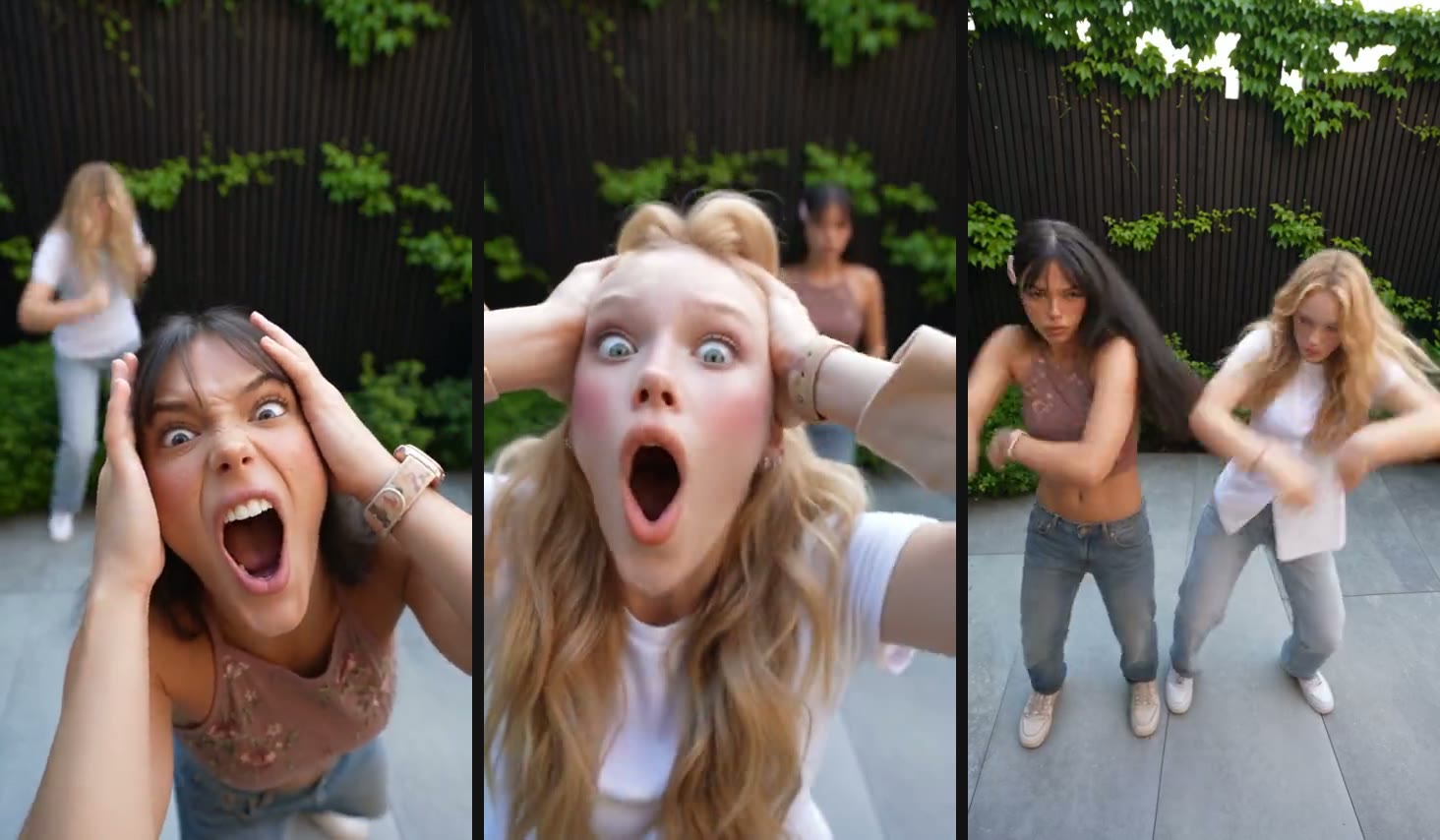
The Smalltown Boy effect is the duo video where two friends take turns screaming into a wide-angle lens, then dance side by side to Bronski Beat. Filming it yourself takes a fisheye lens, a lot of takes, and a friend with good timing. With AI it takes two photos and a few minutes.
What the Smalltown Boy effect looks like
The video is about 25 seconds long, vertical, and has three beats:
- The first scream. Person one lunges at the camera, hands clamped on their head, mouth wide open. The lens bends their face, and person two dances in the background.
- The second scream. The roles flip. Person two takes the close-up while person one dances behind.
- The dance. The camera pulls back and the two of you dance side by side, then lunge at the lens together for the ending.
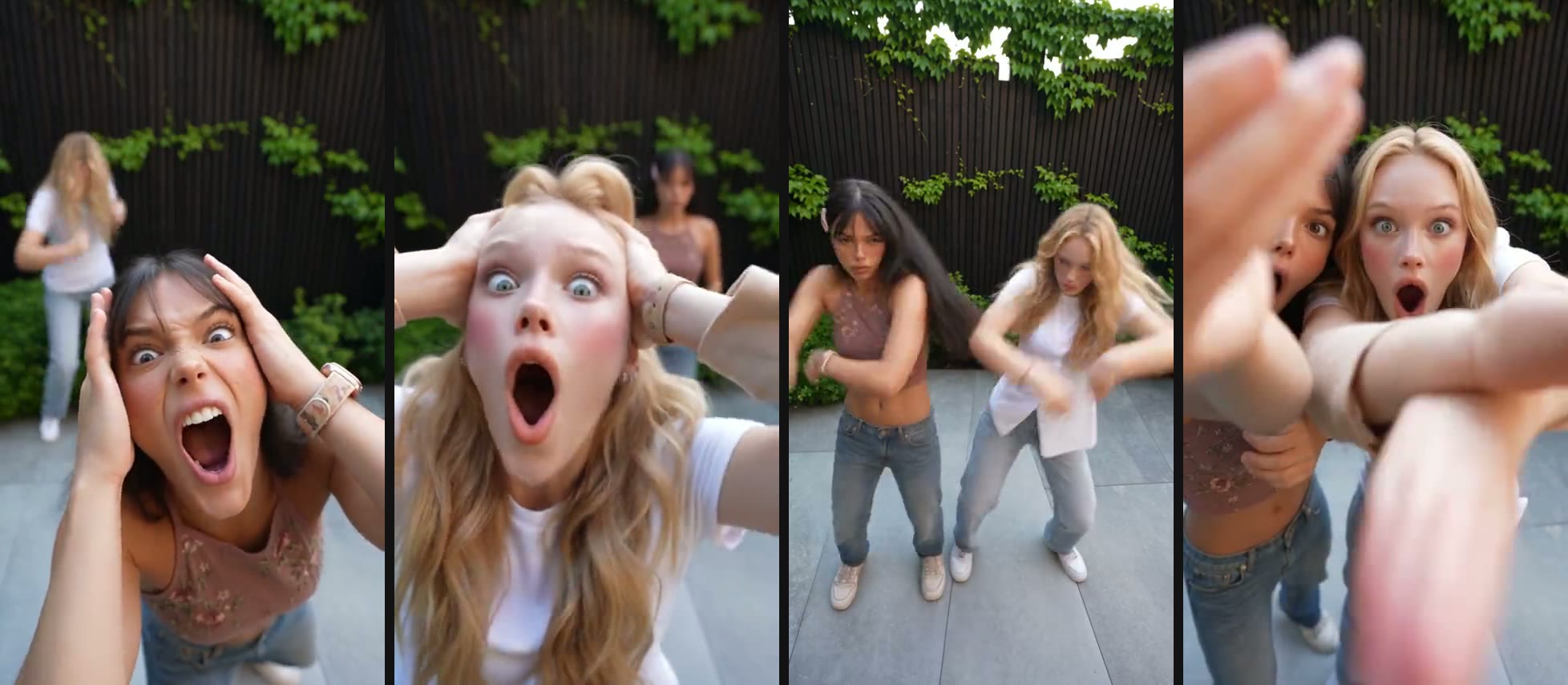
The camera, the cuts, the courtyard, and every move come from the original clip. The faces, hair, and outfits come from your photos.
Where the song comes from
“Smalltown Boy” is the 1984 debut single by the British synth-pop band Bronski Beat, from the album The Age of Consent. Jimmy Somerville’s falsetto carries a semi-autobiographical story about a young gay man who leaves his hometown for somewhere he can be himself.
The song found a new audience on TikTok in 2024, the year it turned 40, as the soundtrack to the “’80s dance challenge”: people filmed their parents dancing the way they did in the eighties. Somerville said the challenge made him smile. The AI duo version is the next step for the sound: instead of filming a dance, you cast two people and let the AI do the shooting.
How to create it, step by step
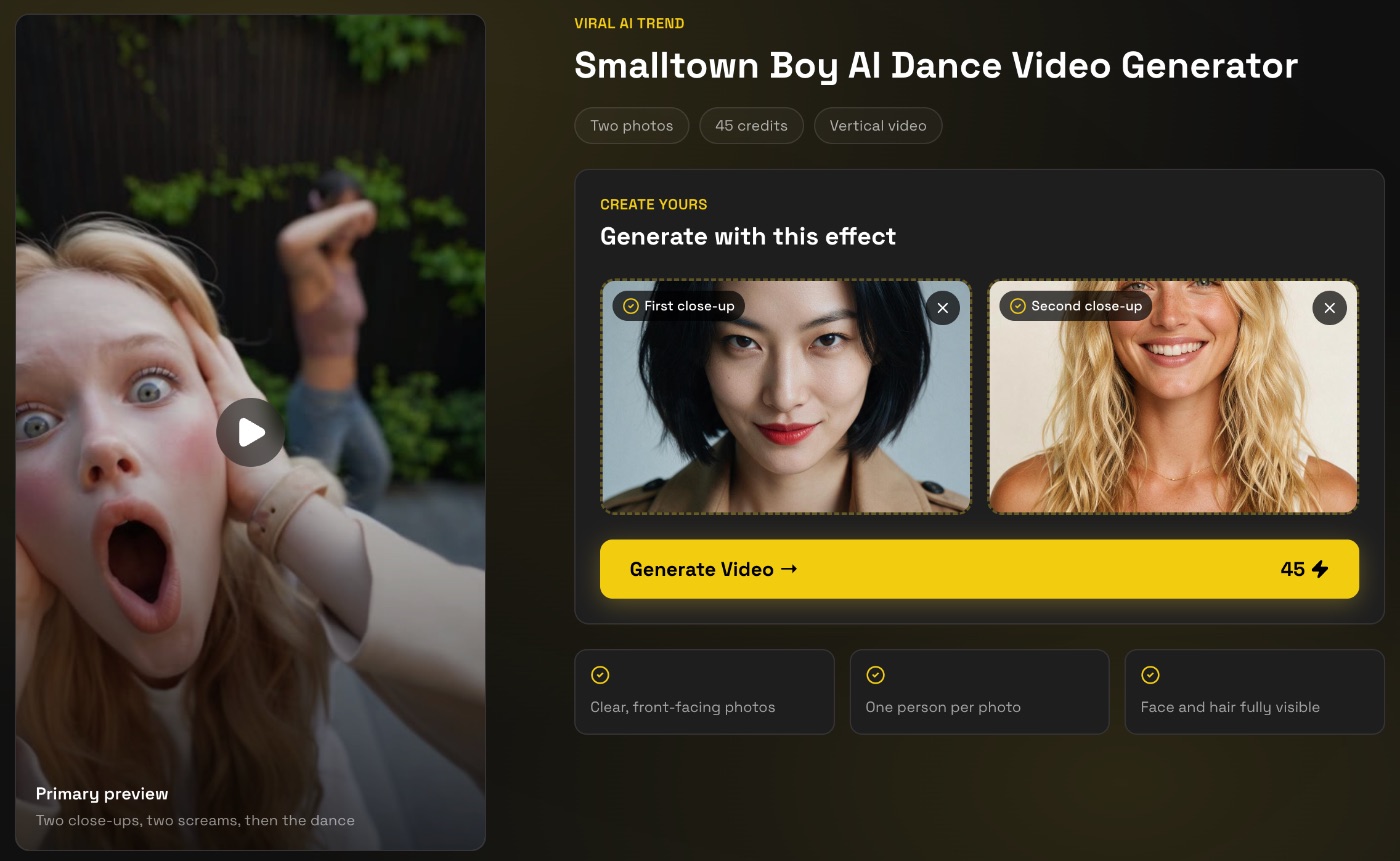
- Open the Smalltown Boy AI Dance Video Generator and sign in. Signing up is free, with no credit card needed.
- Upload the first photo in 1. First close-up. This person screams first and stands on the left when you dance.
- Upload the second photo in 2. Second close-up. This person screams second and dances on the right.
- Press Generate Video. It costs 45 credits, and the price is shown on the button before you start.
- Wait while it renders. It can take up to 10 minutes. You can leave the page; the video waits for you in My Projects.
- Download it and post it to TikTok, Instagram Reels, or YouTube Shorts. It is already vertical and has the track.
Photos that work
- One person per photo. Each box needs exactly one face. Do not upload a photo of the two of you together.
- Face the camera, with the whole face and hair in the frame. The close-ups are huge, so a sharp, evenly lit face matters more here than in most effects.
- Wear what you want to be seen in. Each person keeps the outfit and hairstyle from their own photo.
- Glasses and hats come along. If they are in the photo, they will be in the video.
- The two photos can be from different places. What matters is that both are sharp and similar in quality.
Make it land when you post
- The scream is your hook. It happens in the first second, so do not trim the start.
- Cast for contrast. The calmest person in the group screaming at the lens is funnier than the loudest one.
- Tag the other person. A duo video spreads twice as far when both people share it.
Ask before you upload
A duo video puts a second person on screen, so it needs a second yes. Use photos of yourself and of people who are happy to be in the video, and never photos of celebrities or strangers.
More two-photo trends
If your duo is more mic-sharing than screaming, read how to create the Hotel Lobby AI dance effect. For four more trends built for two, see AI couple videos.